
Voice journaling is one of the fastest ways to process your thoughts. You open an app, hit record, talk through whatever is on your mind, and let the app handle the rest. No staring at a blank page, no typing with your thumbs. Just you and your voice.
Short on time? Puffy is our own free audio journal app for iPhone, and the rest of this guide covers every serious alternative honestly.
But "voice journaling app" means different things to different developers. Some apps treat voice as a first-class input. Others bolt audio recording onto a text-based journal as an afterthought. And a growing category of AI journaling apps uses conversational chat instead of free-form recording.
We spent three weeks testing seven popular journaling apps to find out which ones actually deliver a great voice journaling experience. We recorded real entries, tracked our emotions, evaluated transcription accuracy, and compared pricing. Below is what we found.
How We Tested These Apps
Full transparency: we are the team behind Puffy. We obviously believe in our own product, but we also know that different apps serve different people. Our goal with this comparison is to give you an honest assessment so you can make a well-informed choice.
Here is how we evaluated each app. We installed every app on the same iPhone 15 Pro and (where available) on a Pixel 8 and web browser. We used each app for at least five consecutive days, recording a minimum of two journal entries per day. Then we scored them across seven criteria:
- Ease of recording. How many taps does it take to start a voice entry? Can you record from a lock screen widget or notification? Does the app feel like it was designed for voice, or does it feel like voice was added as a secondary feature?
- Transcription quality. If the app transcribes your audio, how accurate is it? Does it handle filler words, pauses, and natural speech patterns well? Does it preserve meaning, or does it produce garbled text you need to edit?
- Emotion tracking. Can the app help you identify and label what you are feeling? Does it use a simple mood slider, a feelings wheel with sub-emotions, or something else entirely? How granular is the tracking?
- AI features. Does the app offer AI-generated insights, summaries, or prompts? Are those features genuinely useful, or do they feel gimmicky?
- Privacy and data handling. Where is your data stored? Is it encrypted? Can you export your entries? Does the app require an account, or can you use it offline?
- Pricing. What do you get for free? What does the paid tier cost? Is the free tier usable long-term, or is it just a trial in disguise?
- Platform availability. Is the app on iOS only? iOS and Android? Does it have a web app?
We took screenshots of each app during testing and included them below. Every feature claim in this article is based on our hands-on experience as of April 2026.
Quick Comparison
Before we dive into detailed reviews, here is a side-by-side look at the key features across all seven apps. This table covers the fundamentals: voice support, AI capabilities, emotion tracking, offline access, pricing, and platform availability.
| Feature | Puffy | AudioDiary | Day One | Rosebud | Reflectly | Journey | Stoic |
|---|---|---|---|---|---|---|---|
| Voice Recording | ✓ | ✓ | ✓ | ✗ | ✗ | ✓ | ✗ |
| AI Transcription | ✓ | ✓ | ✗ | ✗ | ✗ | ✗ | ✗ |
| Emotion Tracking | ✓ | ✓ | ✗ | ✓ | ✓ | ✓ | ✓ |
| Feelings Wheel | ✓ | ✗ | ✗ | ✗ | ✗ | ✗ | ✗ |
| AI Insights | ✓ | ✓ | ✗ | ✓ | ✓ | ✗ | ✗ |
| Offline Support | ✓ | ✗ | ✓ | ✗ | ✓ | ✓ | ✓ |
| Free Tier | ✓ | ✓ | ✓ | ✓ | ✗ | ✓ | ✓ |
| Platforms | iOS | iOS, Android | iOS, Android, Web | iOS, Android, Web | iOS, Android | iOS, Android, Web | iOS, Android |
| Starting Price | $4.99/mo | $6.99/mo | $4.17/mo | $5.83/mo | $9.99/mo | $3.33/mo | $4.99/mo |
A few things stand out immediately. Only three of the seven apps (Puffy, AudioDiary, and Journey) offer dedicated voice recording. Of those, only Puffy and AudioDiary include AI-powered transcription. And Puffy is the only app on this list with a full feelings wheel for granular emotion tracking.
Now let's look at each app in detail.
Puffy


Our pick for voice-first journaling. Yes, we built it, and yes, we are biased. But we built Puffy because nothing else on the market did exactly what we wanted: let us talk through our day, see our words transcribed accurately, tag our emotions using a proper feelings wheel, and track emotional patterns over time. All without needing an internet connection.
Puffy is designed around a single workflow. You open the app, press one button, and start speaking. When you finish, the app transcribes your recording using AI (powered by OpenAI Whisper), then prompts you to tag how you are feeling. The feelings wheel gives you six primary emotions (joy, love, surprise, fear, sadness, anger) and dozens of sub-emotions beneath each one. Over time, you can see charts and trends showing how your emotional landscape shifts week to week.
What we think Puffy does well
- Genuinely voice-first. The entire UX is built for speaking, not typing. Recording starts in one tap. There is no text editor competing for your attention.
- Feelings wheel with sub-emotions. Most journaling apps offer a simple mood slider (happy to sad on a five-point scale). Puffy uses a clinically informed feelings wheel that lets you distinguish between "anxious" and "overwhelmed," or between "content" and "hopeful." This granularity matters when you want to understand your emotional patterns.
- Offline-first architecture. Your entries are saved locally on your device first, then synced to the cloud when you have a connection. You can journal on an airplane, in the woods, or anywhere without cell service. Your data is always on your device.
- AI transcription and formatting. The transcription pipeline handles natural speech well, including pauses, filler words, and mid-thought corrections. The formatted transcript is clean and readable.
- Emotion trend charts. After a couple of weeks of entries, the trends view starts showing genuinely interesting patterns. You might discover that your anxiety spikes every Sunday evening, or that you consistently feel grateful on days when you exercise.
Where Puffy falls short
- iOS only (for now). Android and web versions are on the roadmap, but today Puffy is available only on iPhone. If you are on Android, this is a dealbreaker.
- No photo or video attachments. Puffy is purely audio and text. If you want to attach photos, sketches, or video clips to your journal entries, Day One or Journey will serve you better.
- Younger platform. Puffy does not have the years of polish and feature depth that Day One has accumulated over a decade. Some nice-to-have features (templates, search filters, calendar view) are still in development.
Pricing
Puffy offers a free tier with limited entries per month. The Pro plan costs $4.99/month (or $39.99/year) and unlocks unlimited entries, full AI transcription, emotion trends, and cloud sync.
Best for
People who want to speak their thoughts rather than type them, and who care about understanding their emotional patterns at a deeper level than a simple mood score.
AudioDiary
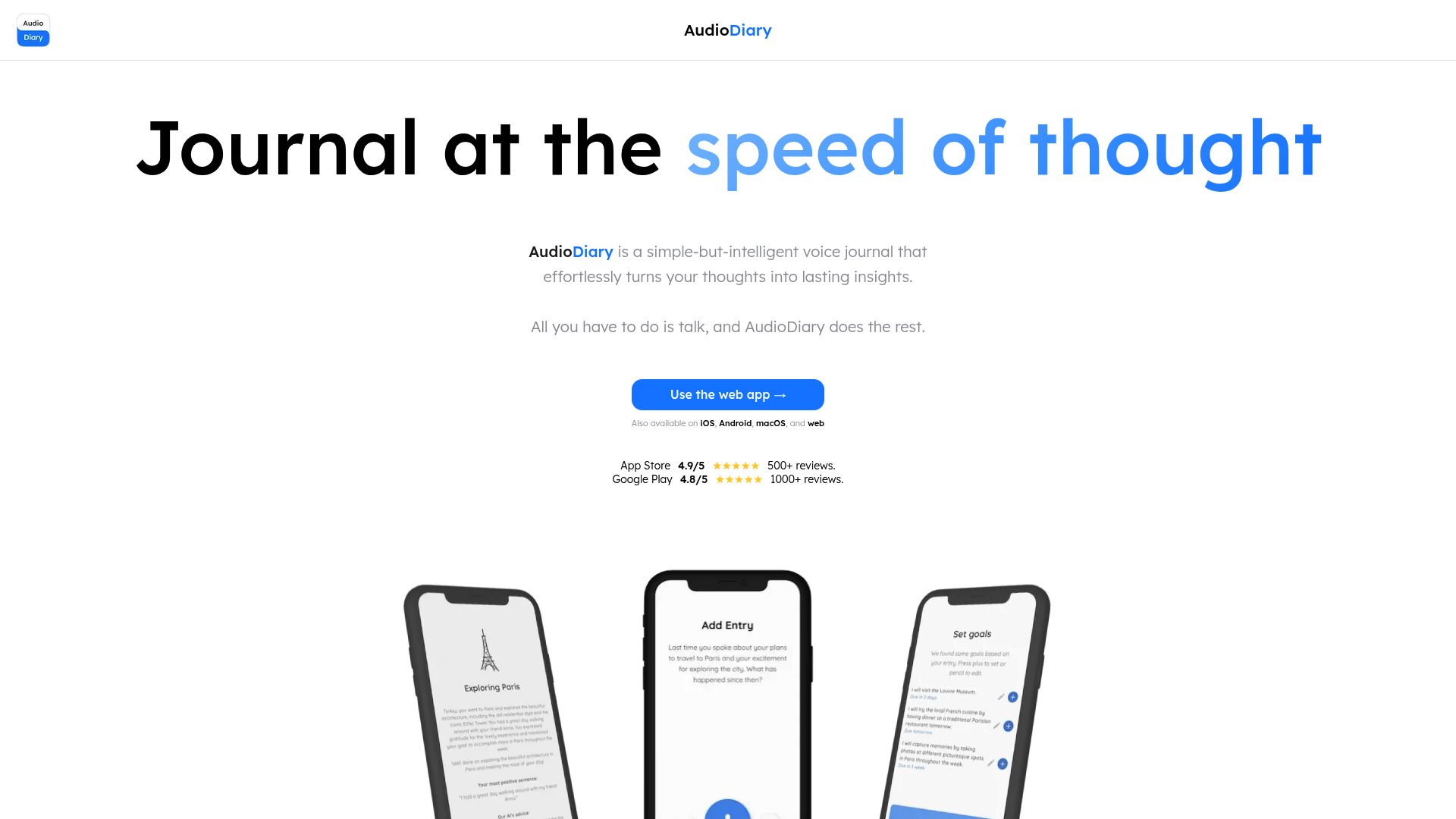
AudioDiary is the closest competitor to Puffy in the voice-first journaling space. It also lets you record audio entries and uses AI to transcribe and organize them. The app has a clean, modern interface and puts voice recording front and center.
Where AudioDiary wins
- Cross-platform availability. AudioDiary is available on both iOS and Android, which gives it a significant reach advantage over Puffy's current iOS-only availability.
- AI organization. AudioDiary uses AI to automatically categorize and tag your entries by topic. If you record about work, family, and health on the same day, the app can sort those into separate threads. This is a genuinely useful feature for people who record multiple short entries throughout the day.
- Moment-based structure. Rather than long-form journal entries, AudioDiary encourages short "moments" captured throughout your day. This is a different philosophy from Puffy's approach, and some people will prefer it.
Where AudioDiary falls short
- No feelings wheel or deep emotion tracking.AudioDiary offers basic mood tagging, but it lacks the granular feelings wheel and emotion trend analysis that Puffy provides. If tracking emotional patterns is important to you, AudioDiary will feel limited.
- Requires internet connection. AudioDiary's AI features depend on a server connection. You cannot record and transcribe entries offline. This is a meaningful limitation if you journal during commutes, flights, or outdoor activities.
- Higher price point. At $6.99/month, AudioDiary's premium tier is more expensive than most competitors, including Puffy.
Pricing
Free tier with limited recordings per month. Premium costs $6.99/month or $49.99/year.
Best for
Android users who want voice-first journaling with AI transcription, or anyone who prefers capturing short audio moments throughout the day rather than longer journal sessions.
Day One

Day One is the elder statesperson of journaling apps. It launched in 2011 and has been continuously refined ever since. It is a beautiful, feature-rich journal that supports text, photos, videos, audio recordings, drawings, location data, weather stamps, and more. It is the app most people think of when they hear "journaling app."
However, Day One is not a voice journal. It is a multimedia journal that happens to support audio attachments. The difference matters. When you open Day One, you see a text editor. You can attach an audio recording to an entry, but the app does not transcribe it, and voice is not the primary interaction model.
Where Day One wins
- Feature depth. After more than a decade of development, Day One has features that newer apps simply have not had time to build. Multiple journals, tagging, templates, "On This Day" memories, book printing, shared journals for couples and families, and a polished search experience. It is the most complete journaling platform available.
- Multimedia support. If your journal entries include photos from your day, video clips of your kids, or scanned documents, Day One handles all of it gracefully. No other app on this list matches its media capabilities.
- End-to-end encryption. Day One offers optional end-to-end encryption for your journals. Your entries are encrypted on your device before they ever reach Day One's servers.
- Wide platform support. Day One is available on iOS, Android, Mac, and the web. Your journal follows you across all your devices.
Where Day One falls short for voice journaling
- Voice is not the primary input. You can record audio, but Day One does not transcribe it. Your audio stays as an audio attachment. If you want to search your spoken words or see a text version of what you said, Day One cannot help.
- No emotion tracking. Day One does not include mood tracking, emotion tagging, or any kind of emotional pattern analysis. You can add tags manually, but there is no built-in system for understanding how you feel over time.
- No AI features. As of our testing in April 2026, Day One does not offer AI-powered insights, summaries, or prompts. It is a traditional journal in a world where AI is becoming table stakes.
Pricing
Free tier with one journal and limited entries. Day One Premium costs $4.17/month (billed annually at $49.99/year) and unlocks unlimited journals, entries, photos, and end-to-end encryption.
Best for
People who want a full-featured, multimedia journal with years of refinement. If you journal primarily through writing and photos, and voice is secondary, Day One is hard to beat.
Rosebud

Rosebud takes a fundamentally different approach to journaling. Instead of giving you a blank page or a record button, Rosebud starts a conversation with you. Its AI asks you questions, responds to your answers, and gently guides you toward deeper reflection. Think of it as journaling with a thoughtful friend who always knows the right follow-up question to ask.
Where Rosebud wins
- Guided reflection. If you have ever opened a journal app and thought "I don't know what to write about," Rosebud solves that problem. Its conversational AI gives you a starting point and keeps the reflection flowing. For people who struggle with unstructured journaling, this is genuinely valuable.
- AI-powered insights. Rosebud generates weekly summaries of your emotional patterns and recurring themes. The insights feel thoughtful, not generic. After a few weeks of use, the app starts surfacing connections you might not have noticed on your own.
- Low barrier to entry. Because Rosebud frames journaling as a chat, it feels less intimidating than traditional journaling. You are just answering questions. This is especially helpful for people who are new to journaling.
Where Rosebud falls short
- Not voice-first. Rosebud is a text-chat experience. You type your responses. While some phones let you use dictation to input text, the app itself does not record audio or provide a dedicated voice journaling flow. If you want to speak your journal, Rosebud is not the right tool.
- Less freedom. The conversational format means the AI is guiding the direction of your entry. If you want to free-associate or rant about your day without being prompted, Rosebud's structure can feel constraining.
- Requires internet. All of Rosebud's AI features require a server connection. You cannot use it offline.
Pricing
Free tier with a limited number of conversations per week. Premium costs $5.83/month (billed annually at $69.99/year) and unlocks unlimited conversations, advanced insights, and full history access.
Best for
People who want guided journaling with AI-powered prompts and are comfortable typing their responses. Especially great for journaling beginners who do not know where to start.
Reflectly
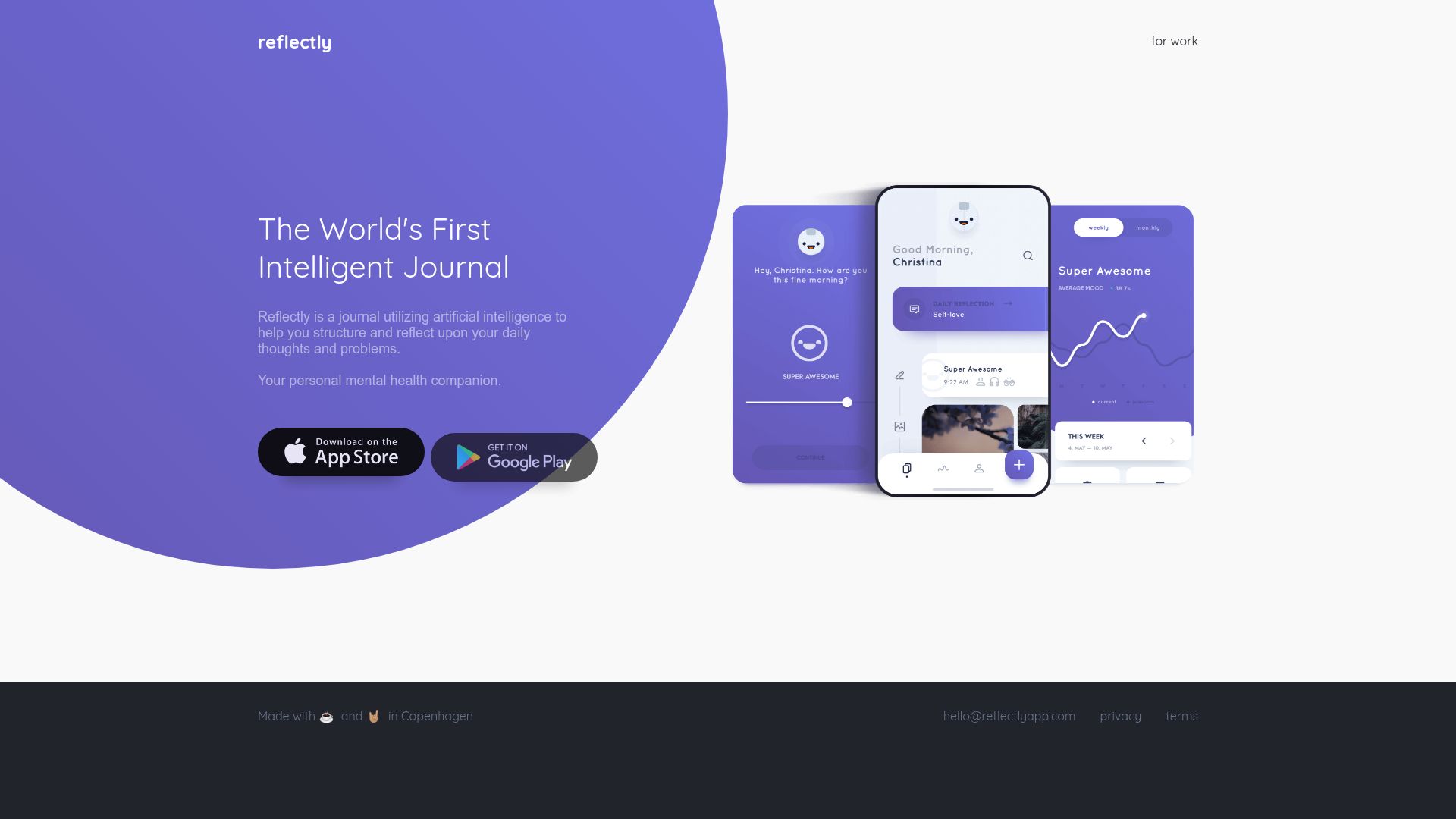
Reflectly bills itself as an "AI-powered journal and mood tracker." It has one of the most polished visual designs of any journaling app on the market, with soft gradients, smooth animations, and a calming aesthetic that makes you want to open it. The app has a large user base and consistently ranks highly in app store searches for journaling.
Where Reflectly wins
- Beautiful design. Reflectly is visually stunning. The interface is clean, colorful, and inviting. If aesthetics matter to you (and for a daily-use app, they should), Reflectly sets a high bar.
- Structured daily check-ins. The app walks you through a brief daily reflection: how was your day, what happened, what are you grateful for. This structure makes it easy to build a daily journaling habit in just a few minutes.
- Mood tracking with history. Reflectly tracks your mood over time and shows trends in a visual dashboard. While it is not as granular as a feelings wheel, the mood tracking is well-implemented.
Where Reflectly falls short
- No voice recording. Reflectly is entirely text-based. There is no audio recording feature. If you want to speak your journal, Reflectly is not an option.
- No free tier. Reflectly offers a brief free trial, then requires a subscription. At $9.99/month, it is the most expensive app on this list, and there is no way to use it long-term without paying.
- Shallow emotion tracking. The mood tracking uses a simple slider scale. You cannot distinguish between different types of sadness or different flavors of happiness. For people who want to understand their emotions with precision, this feels limiting.
- AI prompts can feel repetitive. After a few weeks of daily use, we noticed the AI-generated prompts starting to repeat. The variety is decent for the first month, but power users may outgrow it.
Pricing
No usable free tier. Reflectly Premium costs $9.99/month or $59.99/year. A lifetime purchase is occasionally available at $179.99.
Best for
People who value beautiful design and structured daily check-ins, and who prefer typing over speaking. Good for building a journaling habit with minimal friction, provided you are willing to pay the premium price.
Journey

Journey's defining feature is its platform coverage. It is available on iOS, Android, the web, Mac, Windows, Linux, and Chrome OS. If you use multiple devices across different operating systems, Journey is the journal that will follow you everywhere. It supports text entries, photo attachments, audio recordings, and templates.
Where Journey wins
- Widest platform support of any journal. No other app on this list runs on as many platforms. If you switch between a MacBook at home, a Windows laptop at work, and an Android phone, Journey is the only journal that works natively on all three.
- Templates and prompts. Journey offers a large library of journal templates, from gratitude prompts to five-minute journals to weekly reviews. These give you structure when you need it.
- Google Drive sync. Journey can sync your journal data via Google Drive, which means your data lives in your own cloud storage rather than on Journey's servers. This is a meaningful privacy advantage.
- Affordable. At $3.33/month (billed annually), Journey is the most affordable premium journaling app on this list.
Where Journey falls short
- Voice is not a primary feature. Journey supports audio recordings as attachments, similar to Day One. It does not transcribe your audio, and the recording experience feels secondary to text input. You will not find a prominent record button on the main screen.
- No AI features. Journey does not offer AI-powered transcription, insights, summaries, or prompts. It is a traditional journal with good templates, but no intelligence layer.
- Basic emotion tracking. Journey includes a simple mood selector (emoji-based), but it lacks detailed emotion analysis or trend visualization. The mood data is captured but not deeply analyzed.
- Interface feels dated in spots. While Journey has been updated regularly, some parts of the interface feel less polished than competitors like Day One or Reflectly. The web and desktop apps, in particular, could use a design refresh.
Pricing
Free tier with basic features. Journey Premium costs $3.33/month (billed annually at $39.99/year). A lifetime purchase is available for $119.99.
Best for
People who journal across multiple platforms and operating systems, and who want a reliable, affordable, general-purpose journal with good templates. Not the best choice if voice journaling is your primary goal.
Stoic
Stoic takes a philosophy-driven approach to journaling. Inspired by Stoic philosophy and cognitive behavioral therapy (CBT), the app structures your journaling around evidence-based mental health frameworks. Morning reflections, evening reviews, gratitude lists, and cognitive reframing exercises form the core experience.
Where Stoic wins
- Structured mental health framework. Stoic is not just a blank journal. It is a guided mental health practice that uses journaling as its medium. The CBT-inspired prompts help you identify negative thought patterns and actively work to reframe them. If you are using journaling specifically for mental health improvement, this structure is powerful.
- Morning and evening routines. Stoic encourages a morning intention-setting session and an evening reflection. This bookend structure helps build a sustainable daily practice.
- Mood tracking with context. When you log your mood in Stoic, the app asks what influenced it. Over time, this builds a dataset of which activities, people, and situations affect your emotional state. The monthly reports are genuinely insightful.
- Quote library. Each day features a quote from Stoic philosophers (Marcus Aurelius, Epictetus, Seneca) alongside modern psychologists and thinkers. These set a reflective tone for your journaling session.
Where Stoic falls short
- No voice recording at all. Stoic is entirely text based. There is no audio recording feature, no transcription, and no voice input option. If you want to speak your journal, Stoic is not an option.
- Philosophy may not resonate with everyone. The Stoic philosophy framing is a strength for some users and a barrier for others. If you are not drawn to Stoicism or CBT, the app's tone may feel prescriptive rather than supportive.
- No AI features. Stoic relies on pre-written prompts and frameworks rather than AI. The experience is static and does not adapt to your individual patterns the way AI-powered apps can.
- Limited media support. No photo attachments, no video, no audio. Stoic is text-only, which makes it feel sparse compared to richer journaling platforms.
Pricing
Free tier with basic daily prompts. Stoic Premium costs $4.99/month or $34.99/year and unlocks all exercises, detailed analytics, and full history access.
Best for
People who want a structured, philosophy-driven journaling practice grounded in CBT principles. Ideal if you are using journaling specifically to improve mental health and want guidance, not just a blank page.
Which App Is Right for You?
The best journaling app is the one you will actually use. That said, different apps excel in different areas. Here are our recommendations based on specific use cases:
- Best for voice journaling: Puffy. If speaking your thoughts is your primary mode of journaling, Puffy offers the most complete voice-first experience, with one-tap recording, AI transcription, and a feelings wheel for granular emotion tracking. AudioDiary is a solid alternative, especially if you need Android support.
- Best for multimedia journaling: Day One. If your journal includes photos, videos, drawings, and text alongside occasional audio, Day One's decade of feature development makes it the most capable platform.
- Best for guided AI conversations: Rosebud. If you want an AI that asks you thoughtful questions and guides your reflection, Rosebud's conversational approach is unique and effective. Especially great for people who feel stuck when faced with a blank page.
- Best for cross-platform use: Journey. If you switch between iOS, Android, Windows, Mac, and Linux, Journey is the only journal that runs natively everywhere. Its Google Drive sync gives you control over your data, too.
- Best for structured mental health: Stoic. If you want journaling that is grounded in CBT and Stoic philosophy, with morning/evening routines and cognitive reframing exercises, Stoic offers the most purposeful framework.
- Best design and daily habit building: Reflectly. If visual polish and a structured daily check-in are your top priorities, Reflectly's beautiful interface makes it a joy to open every day, though at a higher price point.
A final thought: journaling apps are deeply personal. We encourage you to try two or three from this list before committing to one. Most offer free tiers or free trials, so you can test each workflow and see which one fits how your mind works. The best journal is the one that becomes part of your routine.
Frequently Asked Questions
What is a voice journal app?
A voice journal app lets you record spoken entries instead of (or in addition to) typing them. The best voice journal apps also transcribe your audio into text using AI, so you can read, search, and review your entries later. Voice journaling is faster than typing for most people and often leads to more honest, free-flowing reflections because you are not editing yourself as you speak.
Are voice journal apps private and secure?
Privacy varies significantly between apps. Some apps (like Puffy and Day One) offer offline storage and encryption so your entries never leave your device unless you choose to sync them. Others require a server connection and process your data in the cloud. Before choosing an app, check whether it offers end-to-end encryption, where your data is stored, and whether the company uses your journal content for training AI models. Read the privacy policy carefully.
Can I use a voice journal app for therapy or mental health?
Voice journaling can be a valuable complement to therapy, but it is not a substitute for professional mental health care. Many therapists encourage clients to journal between sessions as a way to process emotions and track patterns. Apps like Puffy (with its feelings wheel and emotion trends) and Stoic (with its CBT-based exercises) are particularly well-suited for this purpose. If you are struggling with serious mental health challenges, please reach out to a licensed therapist or counselor.
What is a feelings wheel, and why does it matter?
A feelings wheel is a visual tool, similar in spirit to Robert Plutchik's wheel of emotions, that organizes emotions into primary categories (like joy, sadness, anger, fear, love, and surprise) with more specific sub-emotions branching outward. For example, under "sadness" you might find "lonely," "grief," "disappointed," or "hopeless." The wheel helps you move beyond vague labels like "bad" or "fine" and identify what you are actually feeling. Research suggests that labeling your emotions with specificity (a practice psychologists call "emotional granularity") can improve emotional regulation and self-awareness. Puffy is currently the only voice journal app on this list that includes a full feelings wheel.
Do voice journal apps work offline?
Some do, some do not. Puffy, Day One, Journey, Reflectly, and Stoic all offer offline functionality, meaning you can create entries without an internet connection and sync later. AudioDiary and Rosebud require an internet connection for their core features. If you want to journal during flights, commutes through tunnels, or time spent in nature without cell service, prioritize an app with offline support.