Day One is one of the most established journaling apps on the market. It has been around since 2011, it has millions of users, and it offers a beautifully polished writing experience with support for photos, videos, audio recordings, weather data, and location tagging. If you want a traditional journal that does everything, Day One is the gold standard.
Puffy takes a completely different approach. Instead of building a feature-rich text editor, Puffy focuses on one thing: letting you journal with your voice. You open the app, press record, talk through what is on your mind, and the app transcribes your words, prompts you to tag your emotions using a feelings wheel, and tracks your emotional patterns over time.
These are fundamentally different philosophies. One is not universally better than the other. The right choice depends on how you actually journal. This comparison will help you figure out which approach fits your life.
Quick Verdict
Choose Day One if you want a mature, multimedia journal with rich text editing, photo and video support, cross-platform apps (including Mac and Windows), and a large community of users. Day One is ideal for people who enjoy the act of writing and want to capture memories in multiple formats.
Choose Puffy if you want a fast, voice-first journal that prioritizes emotional self-awareness. Puffy is ideal for people who find writing tedious, who want to journal on the go (in the car, on a walk), and who care about tracking their emotions with precision using a clinically informed feelings wheel.
Feature Comparison
Before we dig into the details, here is a side-by-side overview of the key differences between Puffy and Day One.
| Feature | Puffy | Day One |
|---|---|---|
| Primary Input | Voice | Text |
| Text Journaling | Transcript only | ✓ |
| Voice Recording | ✓ | ✓ |
| AI Transcription | ✓ | ✗ |
| AI Insights | ✓ | ✗ |
| Emotion Tracking | Feelings wheel | ✗ |
| Emotion Trends | ✓ | ✗ |
| Photo/Video | ✗ | ✓ |
| Offline Support | ✓ | ✓ |
| End-to-End Encryption | ✓ | ✓ |
| Free Tier | ✓ | ✓ |
| Platforms | iOS | iOS, Android, Mac, Windows, Web |
| Starting Price | $4.99/mo | $4.17/mo |
Day One: The Gold Standard of Text Journaling
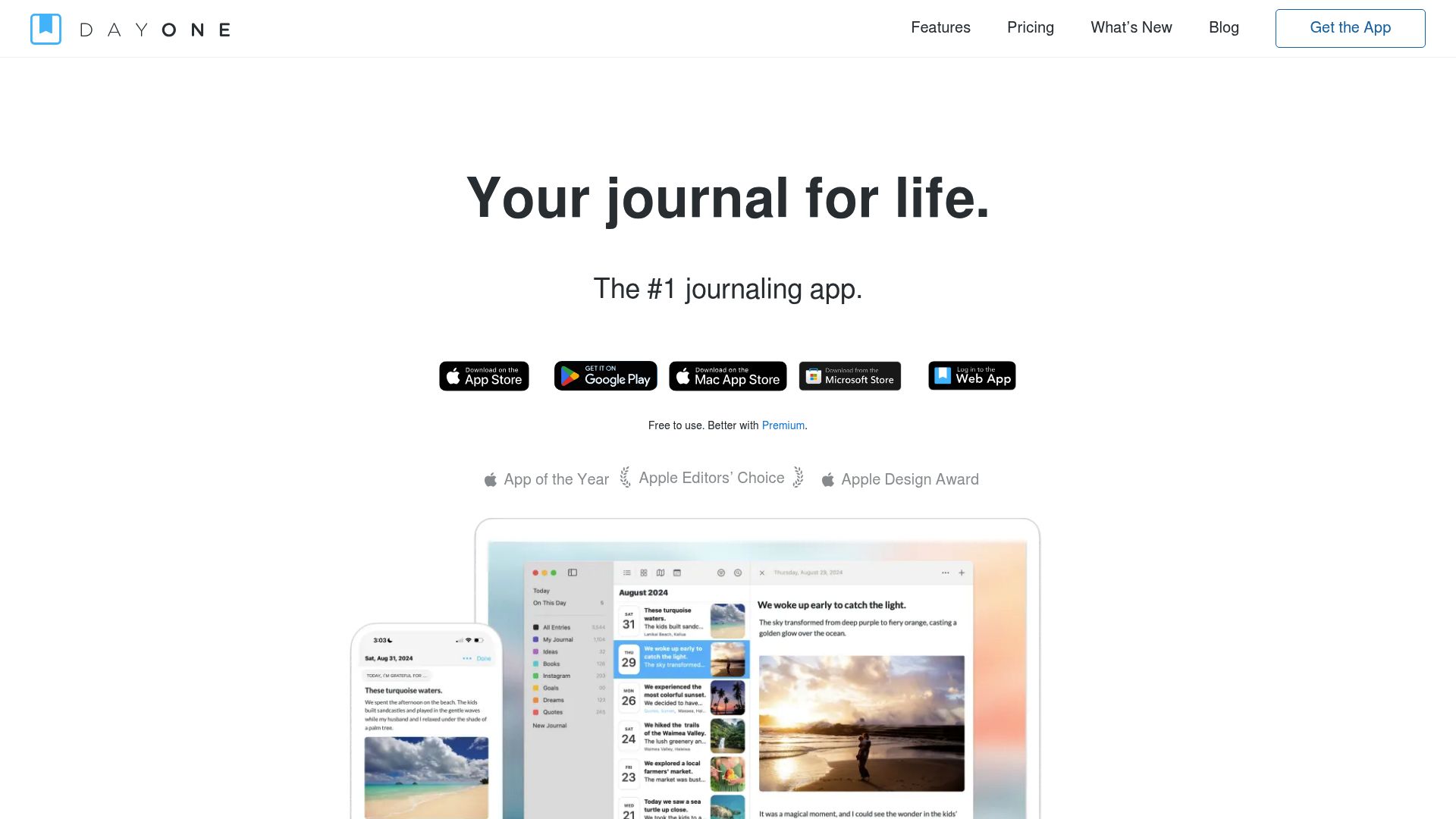
Day One launched in 2011 and has evolved into arguably the most fully featured journaling app available. It supports rich text formatting, embedded photos and videos, audio recordings, drawings, weather data, location tagging, activity data from Apple Health, and multiple journals within a single account. It works on iPhone, iPad, Mac, Apple Watch, Android, Windows, and the web.
The writing experience is excellent. Day One's editor feels like a premium note-taking app with markdown support, templates, and inline media. You can create journal entries that look like beautifully formatted blog posts, complete with photos from your day.
Day One does support audio recordings, but audio is treated as an attachment rather than a primary input method. You can record a voice memo and attach it to an entry, but there is no transcription. Your audio sits alongside text and photos as one more piece of media. If you want to search through your voice entries later, you will need to remember what you said, because there is no text version.
The app also includes an "On This Day" feature that surfaces entries from past years, book printing for physical copies of your journal, and a shared journal feature for families or couples. These are thoughtful additions that make Day One appealing for long-term journaling.
Puffy: Voice-First Journaling with Emotion Tracking
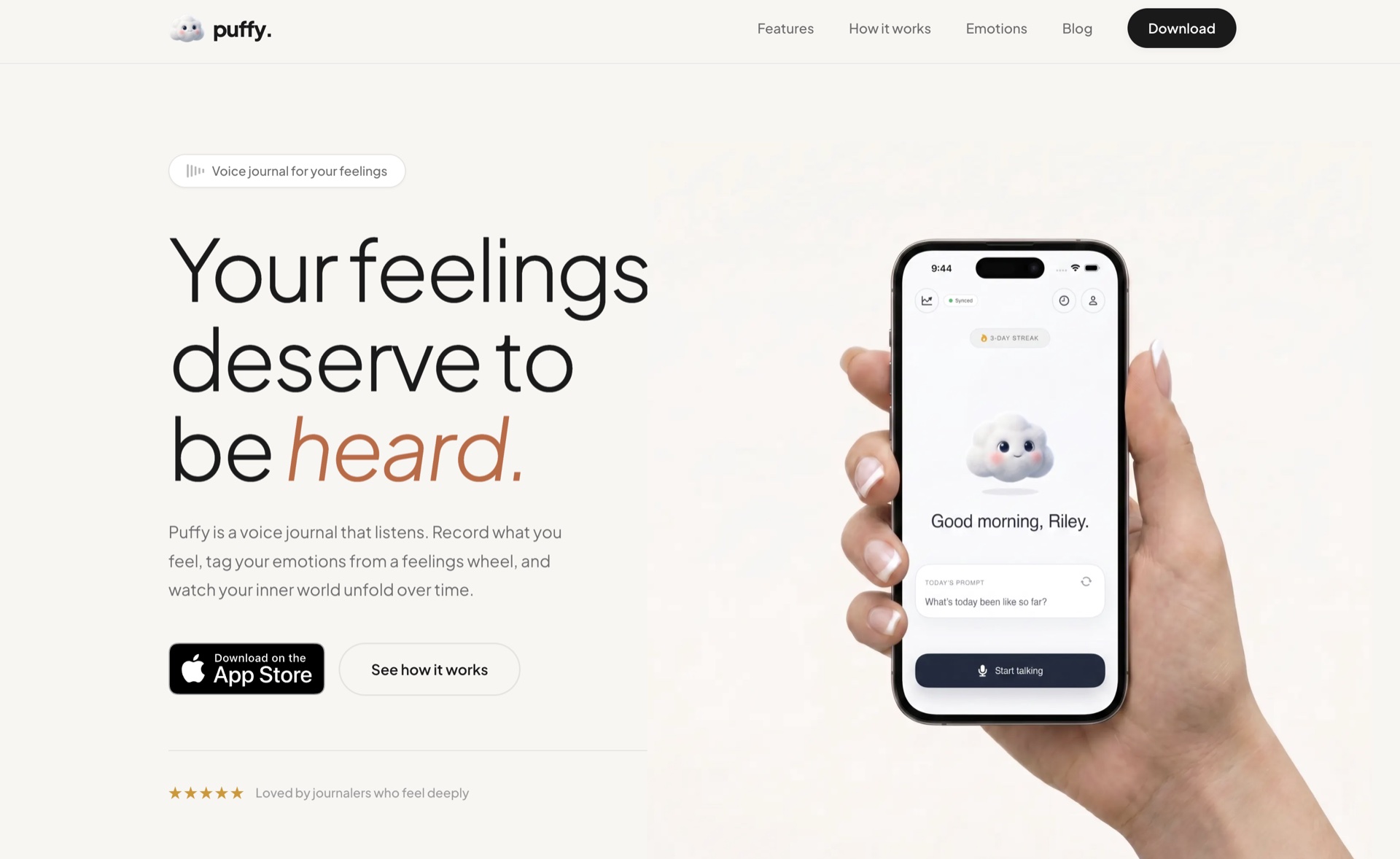
Puffy was designed from the ground up for people who want to journal by speaking. The entire user experience revolves around a single workflow: open the app, press one button, talk, and finish. There is no text editor, no photo picker, no drawing canvas. Everything is intentionally stripped down so that the friction between "I should journal" and "I am journaling" is as small as possible.
After you finish recording, Puffy transcribes your audio using AI-powered speech recognition (OpenAI Whisper). The transcript is cleaned up and formatted so that it reads naturally, removing filler words and awkward pauses while preserving the meaning and tone of what you said.
The second core feature is the feelings wheel. After each entry, Puffy prompts you to tag your emotions. The wheel offers six primary emotions (joy, love, surprise, fear, sadness, anger) with dozens of sub-emotions beneath each one. This granularity matters. There is a real difference between "irritated" and "enraged," or between "content" and "euphoric." Over time, Puffy charts your emotional patterns so you can see how your inner landscape shifts from week to week and month to month.
Puffy also works offline. Your entries are saved locally on your device first and synced to the cloud when you have a connection. You can journal anywhere without worrying about cell service or Wi-Fi.
Recording and Input
This is the most significant difference between the two apps, and it is worth spending time on.
Day One is a text-first app. When you create a new entry, you land in a rich text editor. You can type, paste, dictate using your phone's system keyboard, embed photos, attach files, and record audio clips. The flexibility is impressive, but voice is just one of many input options. If you want to use voice as your primary journaling method, Day One will feel like you are using 10% of the app.
Puffy is a voice-first app. When you open Puffy, you see a record button. One tap and you are speaking. There is no text editor to distract you, no media picker to browse, no templates to choose from. This constraint is deliberate. Puffy is built for the moment when you are walking to your car after a tough meeting, lying in bed before sleep, or sitting in traffic and need to process something. Voice is faster than typing, and Puffy leans into that advantage completely.
The transcription quality also matters. Puffy uses OpenAI Whisper for speech-to-text, then runs a formatting pass to clean up the output. Day One does not transcribe audio at all. If you record a 10-minute voice entry in Day One, you get an audio file. If you record the same entry in Puffy, you get a searchable, readable transcript.
Emotion Tracking
Day One does not include any built-in emotion or mood tracking. You can use tags (like #happy or #anxious) to manually categorize entries, but there is no structured system for tracking how you feel, no visualization of emotional trends, and no prompts encouraging you to reflect on your emotional state.
Puffy places emotion tracking at the center of the experience. The feelings wheel appears after every entry, gently prompting you to identify what you are feeling. This is not a simple "rate your mood 1 to 5" slider. The wheel distinguishes between closely related emotions, helping you develop emotional vocabulary over time. Research in psychology suggests that the ability to label emotions with specificity (sometimes called "emotional granularity") is associated with better emotional regulation.
Puffy also tracks these emotions over time and presents them as visual trends. You can see which emotions appear most frequently, how they shift across weeks and months, and whether patterns emerge around certain days or contexts. Day One offers no equivalent feature.
AI Features
Day One does not currently offer AI-powered features. There are no AI-generated summaries, no intelligent prompts based on your entries, and no automated insights. Day One's approach is traditional: you write, the app stores, and you reflect at your own pace.
Puffy uses AI in two places. First, the transcription pipeline uses OpenAI Whisper to convert speech to text and then a language model to format the transcript into clean, readable prose. Second, Puffy generates AI-powered insights that help you notice patterns in your journaling. These insights are designed to be gentle and reflective rather than prescriptive; they point out recurring themes and emotional shifts without telling you what to do about them.
Privacy and Data
Both apps take privacy seriously, though in different ways.
Day One offers end-to-end encryption for premium users. Your entries are encrypted on your device before being uploaded to Day One's servers. The company cannot read your journal. Day One also lets you export your data in JSON and PDF formats.
Puffy uses an offline-first architecture. Your entries are stored locally on your device first and synced to the cloud as a secondary step. Audio files are processed for transcription, but the processed transcript and emotional data are stored with encryption. You can use Puffy without an internet connection, and your data always exists on your device regardless of cloud sync status.
Pricing
Day One offers a free tier that includes one journal with basic features. The premium plan costs $4.17 per month (billed annually at $49.99) and unlocks unlimited journals, end-to-end encryption, audio recording, video, activity feeds, book printing, and more. There is also a family plan option.
Puffy offers a free tier with limited entries per month. The pro plan costs $4.99 per month and unlocks unlimited recording, full AI transcription, all emotion tracking features, and cloud sync. Pricing is comparable between the two apps.
Platforms
Day One is available on iOS, iPadOS, macOS, Apple Watch, Android, Windows, and the web. This is one of Day One's biggest advantages. You can journal from virtually any device, and your entries sync across all of them. The Mac and Windows apps are particularly polished and feel native to each platform.
Puffy is currently available on iOS only. Android support is planned but not yet available. There is no web app or desktop app at this time. If you need cross-platform access, Day One has a clear advantage here.
Where Day One Wins
We believe in being honest about where competitors do a better job. Day One wins in several important areas.
- Mature, battle-tested platform. Day One has been around for over 14 years. It is stable, reliable, and polished in ways that only come from years of iteration. Bugs are rare, sync works smoothly, and the app handles large libraries of entries gracefully.
- Photo and video support. If you want to attach photos from your day, embed videos, or create visually rich entries, Day One is far superior. Puffy is audio-only by design.
- Cross-platform availability. Day One works on iPhone, iPad, Mac, Apple Watch, Android, Windows, and the web. If you journal from multiple devices, or if you sometimes want to write a long entry on your laptop, Day One accommodates that workflow. Puffy is iOS-only for now.
- Large, active community. Day One has millions of users, a well-maintained subreddit, regular blog content, and a track record that gives users confidence the app will be around for years to come.
- Book printing. Day One can turn your journal into a physical, printed book. This is a unique feature that no competitor matches, and it is genuinely special for people who want a tangible keepsake of their journaling practice.
- On This Day feature. Day One surfaces past entries from the same date in previous years. This kind of reflection is meaningful for long-term journalers and encourages regular engagement with your archive.
Where Puffy Wins
- Genuinely voice-first design. Puffy is not a text journal with a microphone button. The entire experience is built around speaking. One tap to record. No editor, no distractions. If voice is your preferred input, Puffy is purpose-built for you.
- AI-powered transcription. Puffy converts your voice entries into clean, readable, searchable text. Day One stores audio as raw files with no transcription. This means your voice entries in Puffy are searchable, scannable, and easy to review later.
- Feelings wheel for emotion tracking. The feelings wheel is not a gimmick. It is based on established emotional vocabulary research and lets you identify your feelings with far more specificity than a simple mood slider. Over time, this builds genuine emotional literacy.
- Emotion trends and patterns. Puffy visualizes your emotional data over weeks and months. You can see which emotions dominate your life, how they shift around particular events, and whether your emotional baseline is changing. Day One offers nothing comparable.
- Faster time to capture. When you need to process something in the moment, speed matters. Open Puffy, tap record, and start talking. There is no choosing a journal, no selecting a template, no loading a text editor. You can begin journaling in under two seconds.
- Offline-first architecture. While both apps work offline, Puffy was designed with offline as the default state. Your data lives on your device first, always. Cloud sync is the secondary layer, not the primary one.
Final Recommendation
Day One and Puffy serve different people with different needs. Here is how to think about the choice.
Choose Day One if: you enjoy writing, you want to include photos and videos in your journal, you need cross-platform access (especially Mac or Windows), or you want a mature app with a long track record. Day One is also the better choice if you use journaling primarily for memory-keeping and life documentation rather than emotional processing.
Choose Puffy if: you want to journal by speaking rather than typing, you care about tracking your emotions with real depth, you want AI-powered transcription so your voice entries become searchable text, or you want an app that helps you build emotional self-awareness over time. Puffy is also the better choice if you struggle with consistency in journaling because voice reduces the friction of getting started.
Some people use both. Day One for detailed, photo-rich entries on weekends. Puffy for quick voice check-ins during the week. There is no rule that says you can only use one journaling app.
Whichever you choose, the important thing is that you journal at all; the benefits of expressive writing hold regardless of format. Both Day One and Puffy are excellent tools for self-reflection. The best app is the one you will actually use.